
Adopt a Drain
How to measure a storm drain
Taking a reading is quick, safe, and doesn't require any special expertise. Here's everything you need to know.
What you'll need
- Your phone (for the app, flashlight, and photos)
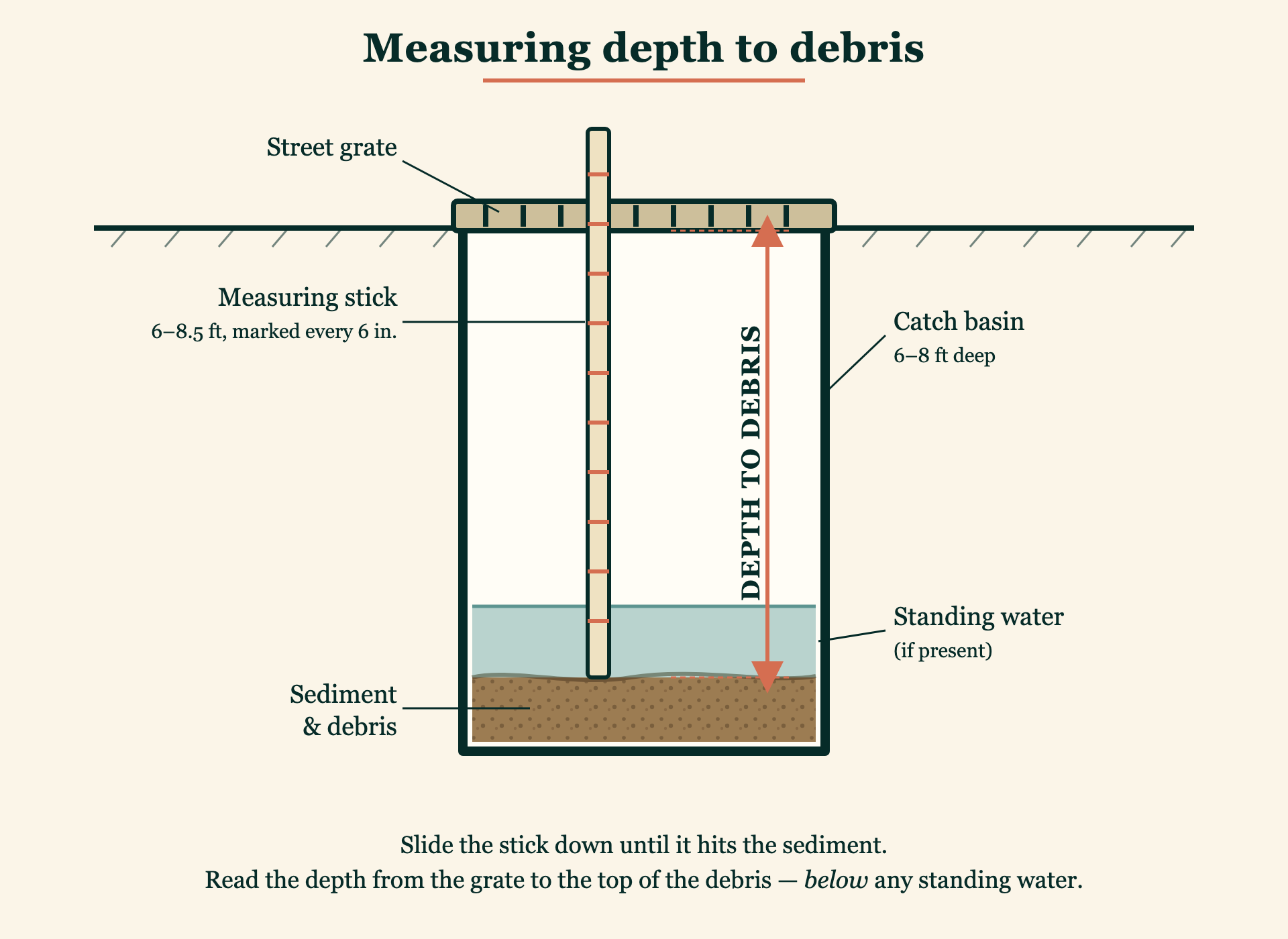
- A measuring stick 6 to 8.5 feet long, marked in 6-inch increments, and thin enough to slip through the grate — a length of PVC pipe or a stiff metal tape measure works well (catch basins are 6–8 feet deep, so a yardstick won't reach the bottom)
- A few minutes

Step-by-step instructions
Step 1: Find your drain
Head to the storm drain you've adopted. If this is your first visit, use the map in the app to guide you — it shows the drain's location on the street.
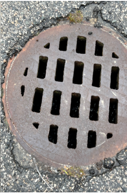
Storm drains (also called catch basins) are the metal grates you see at the edge of the road, usually near curbs or at low points where water collects. They're typically rectangular or square, about 2 feet across.
Step 2: Clear surface debris
If the grate is covered with leaves, pine needles, or trash, clear it away so you can see and reach through. This is itself a valuable service — a blocked grate can't do its job even if the basin below is clean.
Step 3: Look inside
Use your phone's flashlight to peer through the grate. You're looking at a basin — typically 6 to 8 feet deep and about 6 feet in diameter. You may see:
- Dry bottom with accumulated sediment, sand, or debris
- Standing water (normal — some drains hold water between storms)
- A combination: water on top of sediment
Step 4: Measure depth to debris
This is the key measurement. Slide your measuring stick through the grate until it hits the top of the sediment or debris. Read the depth in inches from the grate down to where the stick stops.
If there's standing water, measure to the sediment surface below the water, not to the water surface.
What the number means: A larger number means more clearance (good — the drain has room to work). A smaller number means the basin is filling up and may need service.
The app accepts measurements from 0 to 240 inches (up to 20 feet) in half-inch increments — just enter the depth-to-debris reading exactly as you measure it. As a rough guide, the app flags a drain for the DPW's attention as its clearance drops below about 4 feet, and treats it as nearly full when only a few inches of clearance remain. You don't need to memorize those cutoffs — record what you measure and the app does the rest.
Step 5: Snap a photo & add a note
Take a photo through the grate. The flash on your phone works well for this. Photos help coordinators verify readings and give the DPW visual evidence of drain conditions.
Tip: hold your phone flat against the grate and shoot straight down for the clearest image.
In your note, mention if there’s a manhole cover labeled “Drain” near the grate, or a visible outflow pipe leading to a pond, stream, or the bay — plus anything else you notice, like leaves building up or an oil sheen.
Step 6: Submit your reading
Open the app, go to your drain, and tap “Log a measurement.” Enter your depth-to-debris reading, attach your photo, and add any notes about what you observed. Hit submit — done.
The whole process takes about a minute once you're at the drain.
What to look for (and report)
Beyond the depth measurement, note anything unusual:
- Oil sheen on standing water (rainbow film on the surface)
- Strong or unusual odor
- Visible trash or large debris blocking the inlet
- Structural damage to the grate or basin walls
- Water flowing out of the drain and into the street (during or after rain)
- A manhole cover labeled “Drain” near the grate — it helps map where the drain connects
- A visible outflow pipe leading to a nearby pond, stream, or the bay
Add these observations in the notes field when you submit your reading. If you see something that looks like a hazardous spill or emergency, call the Falmouth DPW directly rather than only logging it in the app.
Safety first
Your safety is more important than any reading.
- Stay on the sidewalk or road shoulder. Never enter the travel lane to reach a drain.
- Never attempt to remove or lift the drain grate.
- Never reach into, lean over, or put your head inside an open drain.
- Wear bright or reflective clothing if measuring near a road.
- If a drain is in a location that feels unsafe (busy intersection, steep embankment), skip it and note the concern in the app.
- During or immediately after heavy rain, drains may be submerged or flowing fast — wait for conditions to settle.
How often should I measure?
About once a year is the baseline — plus a quick check after heavy rain, when basins do most of their filling. The app will send you a gentle reminder.
A yearly reading from every adopted drain, with extra checks after big storms, gives CPWB and the DPW an actionable picture of which basins are filling fastest and where to send the pump-out truck next.